

Move your Vimeo library
into Google Workspace
Transfer videos straight into Shared Drives, folder structure intact. Works with team accounts, respects admin policies, and doesn't store anything on our servers.
Try 10 files free· no credit card required
Using a personal Google account? Go to the personal Drive version
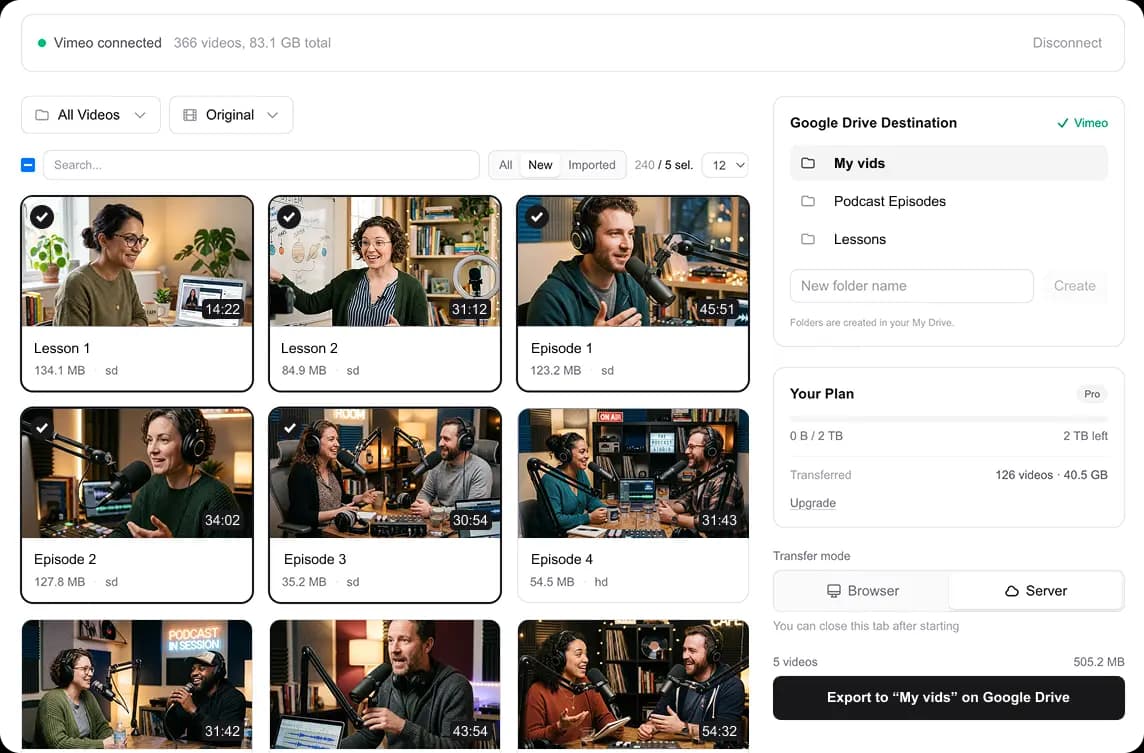
Pick a Shared Drive, select videos, and start transferring
Built for Google Workspace teams
Shared Drive support
Videos go straight into Google Workspace Shared Drives. Files are owned by the team, not the person who ran the migration.
Respects admin policies
Uses OAuth scoped access with only the permissions needed. If your admin has restricted drive.file, you're covered. We only touch folders we create.
Folder structure preserved
Your Vimeo folders are recreated inside the Shared Drive automatically, so the library your team gets is organized like the one they left. No week of re-sorting after the migration.
SSO-friendly sign-in
Google SSO works the same way it does in any Workspace app. No passwords, no accounts, no extra onboarding for your team.
One-time cost, no per-seat fees
Pay once for the capacity your library needs. No monthly subscription, no per-user pricing, no vendor lock-in.
How it works
Sign in with Workspace
Use your Google Workspace account. SSO works as usual.
Pick a Shared Drive
Choose any Shared Drive, select videos, and start the transfer.
Frequently asked questions
Short answers to the things teams ask before buying.
Ready to migrate your team's videos?
Connect your Google Workspace account and start transferring your Vimeo library in minutes.